


Most absence technology decisions get made backwards. Someone signs a three-year contract with a shiny new platform, budgets the license cost, and then spends the next eighteen months discovering that the license was maybe 30% of what the thing actually cost to run. The integration work, the professional services hours, the internal time spent on adoption, the parallel-running of old and new systems — all of that lands later, usually in a quarter nobody planned for.
This isn't another "pick the right vendor" piece. It's about how the whole system evolves over roughly three years, where the money actually goes, and when it makes more sense to orchestrate what you already have versus rip it out and replace it. If you're an HR leader or a business owner trying to build a defensible absence tech roadmap TCO model you can take to Finance, the goal here is to show you how the pieces connect — and where they tend to break as your program scales.
Why absence tech TCO estimates are almost always wrong
The license fee is the number everyone anchors on because it's the only one the vendor hands you cleanly. Everything else is diffuse. A payroll integration doesn't show up as a line item — it shows up as 120 hours of an analyst's time spread across four months, plus a couple of consulting invoices, plus the carrier's own change fees.
What you see across a lot of mid-sized programs is that the real cost curve looks nothing like the sales deck. The deck shows a flat annual subscription. Reality looks more like a spike in year one (implementation, data migration, parallel running), a smaller bump in year two (the integrations nobody scoped, plus the second carrier you forgot about), and then a flatter but still non-trivial ongoing line in year three once adoption settles.
The second reason estimates go wrong: nobody separates one-time from recurring cost, so the one-time implementation spend gets mentally amortized into "the system is expensive" rather than "the system was expensive to stand up, and now it's cheap to run." Those are two very different conversations with your CFO.
A rough TCO breakdown for a program covering a few thousand employees usually splits something like this:
| Cost category | Share of 3-year TCO (typical range) | One-time or recurring |
|---|---|---|
| Platform license / subscription | 35–45% | Recurring |
| Integration & data engineering | 15–25% | Mostly one-time, some recurring |
| Professional services (config, migration) | 10–20% | One-time |
| Internal adoption & change effort | 10–15% | Front-loaded |
| Carrier/TPA change & interface fees | 5–10% | Mixed |
| Ongoing support & admin | 5–10% | Recurring |
The exact percentages shift depending on how many carriers and payroll systems you touch. The bigger point is that the license is often less than half of the three-year number, and the half nobody budgets is the half that causes the mid-project panic.
The staged roadmap: 0 to 3 years
Treating this as one big "go-live" is where programs get hurt. A better frame is a sequence of stages, each with its own integration bundle, adoption milestone, and cost profile. You don't need everything in year one — trying to do everything in year one is probably the most reliable way to blow the budget.
Stop managing absences manually.
Absencely simplifies leave requests, approvals, and absence monitoring for your entire workforce.
- Automated leave tracking
- Manager approval workflows
- Compliance & reporting tools
No credit card required
Stage 0 (Months 0–3): Foundation and honest baselining
Before any platform decision, you need a clear picture of what you're actually running. Most organizations underestimate how fragmented their current state is — leave tracked in spreadsheets by region, STD sitting entirely with the carrier, intermittent leave logged in email threads.
The deliverable for this stage isn't software. It's a map: every source of absence data, who owns it, how it currently flows to payroll, and where the manual handoffs are. Skip this and your integration scope in Stage 1 will be wrong. Wrong scope is where professional services budgets detonate.
A practical foundation checklist:
-
Inventory every system that currently touches a leave record (HRIS, payroll, carrier portals, TPA, spreadsheets)
-
Document the current payroll handoff — who keys what, and when
-
Identify your canonical employee identifier and confirm it's consistent across systems
-
Count your carriers and TPAs, because each one is a separate integration conversation
-
Pull a baseline of your current fully-loaded absence admin cost (hours × loaded rate across HR, payroll, managers)
That last baseline is what makes your eventual ROI defensible. Without it, any savings you claim later are just a story.
Stage 1 (Months 3–9): Core system and the first integration bundle
Stage 1 is the core absence record plus the two integrations that matter most: HRIS (so you're not re-keying employee data) and payroll (so approved leave actually affects pay correctly). Everything else waits.
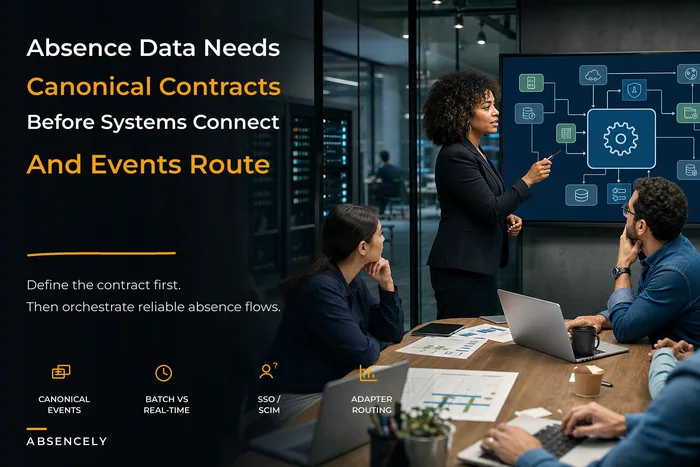
This is where the integration bundle concept earns its keep. Instead of scoping thirty point-to-point connections, you define a small, canonical set of data contracts that the platform speaks, and you wire your core systems to those contracts. If you want the deeper technical version of this, the piece on enterprise absence integration architecture and canonical data contracts walks through why a canonical model saves you from rebuilding every interface when you swap a downstream system.
The adoption milestone for Stage 1 is deliberately narrow: one business unit or region fully live, payroll reconciling cleanly against the new system for two consecutive cycles. Not "everyone's on it." Two clean payroll cycles in one pilot group. That's the gate.
Cost-wise, Stage 1 is your heaviest professional services period. A realistic services template for a mid-sized rollout tends to look like:
-
Discovery & configuration
150–250 consultant hours
-
Payroll integration build & test
100–180 hours
-
Data migration & cleansing
80–160 hours (wildly dependent on how messy Stage 0 revealed things to be)
-
Testing & parallel run support
60–120 hours
Blend those at whatever your vendor or SI charges and you can see why Stage 1 is where the "it was only the license fee" assumption falls apart.
Stage 2 (Months 9–18): Carriers, TPAs, and the orchestration layer
Once the core is stable, Stage 2 brings in the external parties — STD/LTD carriers, your TPA, occupational health, EAP. This is also where most programs should stop thinking about one monolithic system and start thinking about orchestration.
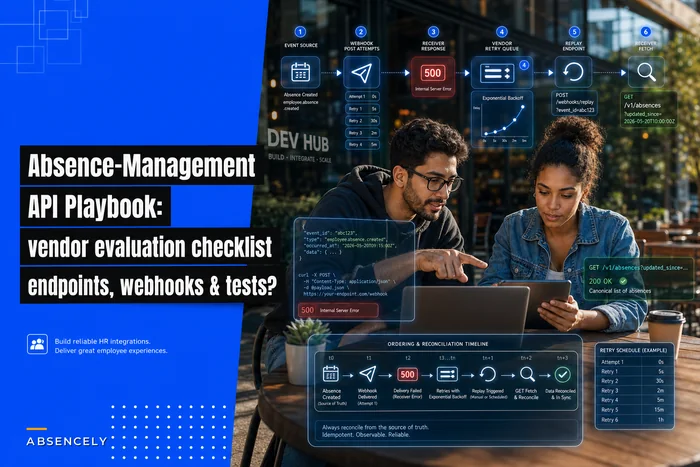
What nobody tells you upfront: carrier and TPA integrations are rarely a clean API handshake. They're file feeds, intermittent payloads, and webhooks that arrive in formats you didn't design. Before signing anything in this stage, pressure-test what the vendor can actually deliver against real endpoints. The absence-management API playbook for vendor evaluation gives you the concrete payloads and test scenarios to validate those claims instead of just trusting the sales answer.
The adoption milestone here is operational, not technical: a claim moves from employee notification → carrier adjudication → payroll bridge → return-to-work without anyone manually re-entering data in more than one place. If a human is still copying claim status from a carrier portal into your system, Stage 2 isn't done, regardless of what the integration dashboard says.
Here's a simple workflow illustrating how the stages and gates connect.
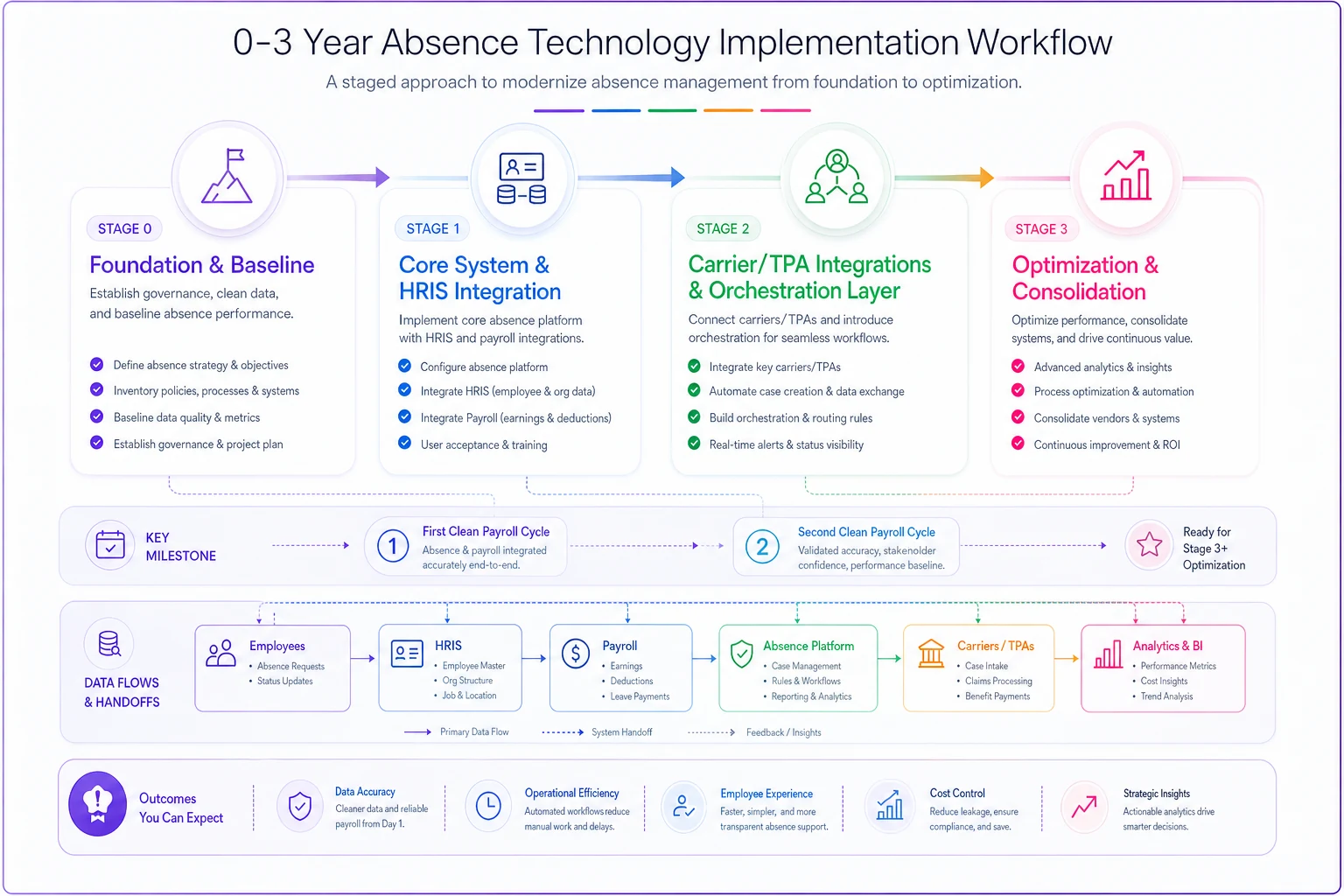
Pro-tip: Tie stage gates to payroll cycles to avoid prolonged parallel-running costs.
Stage 3 (Months 18–36): Optimization, analytics, and consolidation
By now the plumbing works. Stage 3 is where you get value out of the data rather than just moving it around — forecasting coverage gaps, spotting patterns, feeding absence cost into budgeting. It's also where you make consolidation decisions: which of the systems you kept running in parallel can finally be retired.
This stage has the lowest professional services cost and the highest payback, which is exactly why rushing stages 1 and 2 is so expensive — you delay the part that actually pays.
The replacement vs orchestration decision
This is the fork that determines most of your TCO, and it's usually decided by instinct rather than analysis. Someone sees an old system and assumes "replace." But replacement and orchestration are genuinely different strategies with different cost shapes.
Replacement means ripping out the existing system and moving everything onto one platform. Clean, but expensive up front and risky — every edge case in the old system has to be rebuilt or migrated.
Orchestration means keeping systems that work and adding a coordination layer that moves data between them against canonical contracts. Lower up-front cost, faster to deploy, but you carry the ongoing complexity of multiple systems.
A decision matrix that reflects how this actually plays out:
| Situation | Lean replacement | Lean orchestration |
|---|---|---|
| Existing system is end-of-life / unsupported | ✅ | |
| Core system works but doesn't talk to payroll | ✅ | |
| Multiple carriers/TPAs feeding the same program | ✅ | |
| Heavy custom logic in the old system that's poorly documented | ✅ (migration risk too high) | |
| Compliance requires a single auditable source of record | ✅ | |
| Tight budget, need value in under 12 months | ✅ | |
| System sprawl is the actual problem (6+ tools) | ✅ (consolidate) | |
| One jurisdiction, simple policy set | ✅ |
The mistake that shows up most often: organizations choose full replacement because the old UI is ugly, then spend a year and a heavy services budget rebuilding business logic that was working fine. Ugly isn't a business case. "Unsupported and can't integrate with payroll" is.
When replacement actually makes sense
Replacement is the right call when the existing system is genuinely blocking you — unsupported, can't integrate, or you have so many disconnected tools that the sprawl itself is the cost. In those cases, orchestrating six broken things just creates a seventh thing to maintain.
When orchestration is the smarter play
Orchestration wins when your core systems mostly work and the pain is purely in the gaps between them — the payroll handoff, the carrier status sync, the intermittent leave that lives in three places. You're not paying to rebuild working logic; you're paying to connect it. For most mid-sized programs with a decent HRIS and payroll already in place, this is the lower-TCO path.
Who should not do a big replacement
If you don't have a clean Stage 0 map, don't do a replacement. You'll migrate garbage, discover undocumented edge cases mid-project, and the services budget will run over. Fix the foundation and orchestrate first. Earn the right to replace later.
Where the TCO leaks across the lifecycle
A few leak points show up repeatedly, and none of them appear in the original budget:
-
The forgotten carrier. You scoped two carriers; there's a third one covering a legacy population nobody mentioned. Separate integration, separate cost.
-
Parallel-running too long. Running old and new systems simultaneously "to be safe" is probably the most expensive form of caution. Every month of overlap is double admin cost. Set a hard cutover date tied to the two-clean-cycles milestone.
-
Adoption that never finishes. The platform is live but managers still approve leave over email because nobody enforced the new workflow. You pay for a system you're not actually using.
-
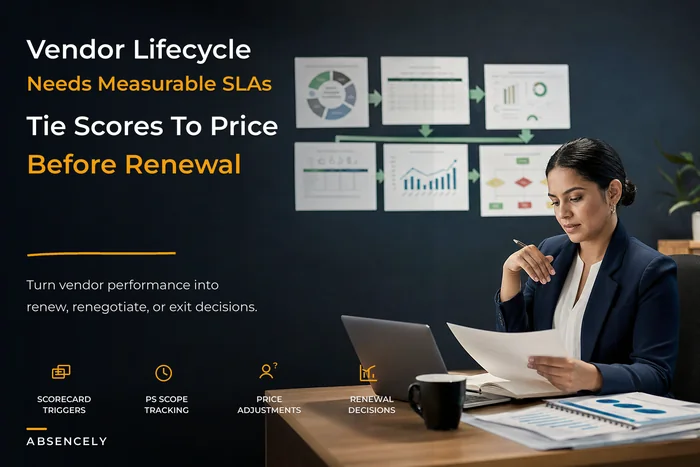
Vendor drift. Over three years, your usage changes, SLAs lapse, and the contract no longer matches reality. This is why ongoing vendor lifecycle governance for absence systems belongs in your roadmap from day one, not as an afterthought in year three.
Each of these is a recurring tax, not a one-time hit. Modern absence platforms with built-in workflow automation help here because they make the "right" path the easy path — an approval that routes automatically is cheaper to maintain than one that depends on a manager remembering a process. But software only closes leak points #1 and #4 if someone actually owns the carrier inventory and the governance cadence.
A real scenario
A regional healthcare employer with around 2,400 staff was running leave tracking across a decent HRIS, one STD carrier, and a stack of spreadsheets for intermittent FMLA. Their instinct was full replacement — buy one platform, move everything, done.
The Stage 0 map changed the plan. The HRIS was fine. Payroll was fine. The actual pain was two things: carrier status never flowed back to payroll cleanly, so they were manually reconciling disability pay every cycle, and intermittent leave lived in spreadsheets that didn't reconcile against anything.
Instead of a replacement estimated at a heavy six-figure three-year TCO, they orchestrated. Core absence record plus payroll integration in Stage 1, carrier feed in Stage 2. They kept the HRIS. Professional services for the orchestration path came in at roughly 40% of what the full replacement would have cost in year one, and the manual reconciliation that had been eating somewhere around 25–30 hours a month across the payroll team dropped to a few hours of exception handling.
The intermittent-leave spreadsheets — which had been the source of recurring overpayment disputes — moved onto the core record in Stage 2. Payroll stopped running a parallel manual process and the overpayment disputes mostly disappeared because the data finally lived in one place. Not a dramatic outcome in revenue terms, but a real one.
Would a full replacement have been "better" in some abstract sense? Maybe eventually. But it would have cost more than double up front to solve two problems that orchestration handled for a fraction of the budget.
Building your own roadmap
If you take one thing from this, make it the sequencing. You don't buy your way to a good absence program — you stage into it, and each stage has to pay before you fund the next.
A simple way to start:
-
Finish Stage 0 before you talk to a single vendor. The map is non-negotiable.
-
Separate one-time from recurring cost in every estimate so your CFO sees the real shape of the spend.
-
Default to orchestration unless the decision matrix clearly points to replacement.
-
Tie every stage gate to an operational milestone (two clean payroll cycles, zero manual re-entry), not a go-live date.
-
Put vendor governance and carrier inventory on the roadmap from the start, because that's where the slow TCO leaks live.
The programs that keep their three-year costs predictable aren't the ones that picked the best platform. They're the ones that understood the cost curve, staged their integrations, and resisted the urge to replace things that were quietly working fine.
The programs that keep their three-year costs predictable aren't the ones that picked the best platform. They're the ones that understood the cost curve, staged their integrations, and resisted the urge to replace things that were quietly working fine.
Ready to optimize your workforce absence management?
Join 2,000+ HR teams using Absencely to reduce administrative burden, improve compliance, and boost employee satisfaction.