

Most leaders don't fail at absence management because they lack data. They fail because they have too much of it, scattered across too many owners, with no clear line between "this is a policy decision" and "this is a payroll bug" and "this is a legal exposure." The HR director has a spreadsheet. Finance has a different one. The TPA has a portal nobody logs into. And when the CFO asks a simple question—"are we in control of absence or not?"—nobody can answer it in under a week.
That gap is what a control taxonomy fixes. Not more dashboards. Not more KPIs. A taxonomy—a named, bounded set of controls—plus a single executive view that tells a leader, at a glance, whether each control is working, degrading, or broken.
This is the layer most enterprise absence programs skip. They build integrations, hire adjudicators, buy predictive models, and then realize there's no coherent way to govern the whole thing from the top. So this is where we build that layer.
Why control sprawl happens (and why it gets worse as you scale)
At 200 employees, absence oversight is informal. One HR person knows every open case. At 2,000, that same informal knowledge fractures into a dozen half-owned processes. Nobody decided this would happen—it just accumulated.
The pattern across mid-market and enterprise HR is pretty consistent: each new tool, vendor, or jurisdiction adds its own controls, but nobody retires the old ones or maps the overlaps. You end up with forty-something "controls" that are really just forty disconnected habits. Some are policy. Some are technical. Some exist only in one manager's head.
-
Policy drift. Leave rules get updated in the handbook but not in the system config, so the stated policy and the enforced policy diverge quietly for months.
-
Data ambiguity. Two teams define "absence day" differently, so the numbers in the board deck don't reconcile with payroll.
-
Automation running blind. Auto-approvals and alerts fire based on logic nobody has reviewed since go-live.
-
Human checkpoints that are theater. A manager "approves" leave by clicking a button with no real review, so the checkpoint adds latency without adding control.
-
Audit scramble. When a regulator or lawyer asks for proof, three people spend two weeks assembling artifacts that should have been generated automatically.
None of these are exotic. They're the default state of any absence operation that grew faster than its governance. If you've already built out a governance operating model, the taxonomy is the control layer that sits inside it—the specific, inspectable set of things that model is supposed to govern.
The six control categories that cover the whole surface
The trick to a defensible control set is keeping it narrow. If your taxonomy has thirty categories, nobody will maintain it. Six categories cover almost everything that matters for absence, and each one maps cleanly to a single accountable owner.
Stop managing absences manually.
Absencely simplifies leave requests, approvals, and absence monitoring for your entire workforce.
- Automated leave tracking
- Manager approval workflows
- Compliance & reporting tools
No credit card required
| Control category | What it governs | Primary owner | What "broken" looks like |
|---|---|---|---|
| Policy controls | Leave rules, eligibility, accrual logic, jurisdiction overrides | HR policy lead | Handbook and system config disagree |
| Data contracts | Record definitions, field ownership, source-of-truth rules | Data/People Analytics | Numbers don't reconcile across teams |
| Automation guardrails | Auto-approval limits, alert thresholds, rollback rules | HRIS/Ops | Automation acts on stale or untested logic |
| Human-in-loop checkpoints | Where a person must review, and what they must check | Line management + HR | Rubber-stamp approvals, no real review |
| Audit artifacts | What gets logged, retained, and exported on demand | Compliance/Legal | Evidence takes days to assemble |
| Operational SLAs | Response times, escalation triggers, handoff deadlines | Shared services | Cases stall with no owner |
The value isn't the categories themselves—it's that every control in your operation gets filed under exactly one of them, with one owner. When a problem surfaces, you know immediately which category it belongs to and who to call. That alone eliminates most of the "whose job is this?" paralysis that makes absence incidents drag on.
Policy controls
These are the rules of the game: who's eligible, how accrual works, how each jurisdiction modifies the baseline. The most common policy-control failure isn't a bad policy—it's a good policy that never made it into the system. The handbook says intermittent leave requires recertification every 30 days; the config never enforced it. For eight months, nobody noticed.
A healthy policy control has three linked artifacts: the written rule, the system configuration that enforces it, and a change log showing when each was last updated. If those three drift apart, the control is degraded—even if nothing has visibly broken yet.
Data contracts
A data contract is a plain-language agreement about what a field means, who owns it, and what counts as the source of truth. Without it, you get the classic enterprise problem: the board deck says absence is 4.1%, finance says 4.7%, and both are "right" because they're counting different things.
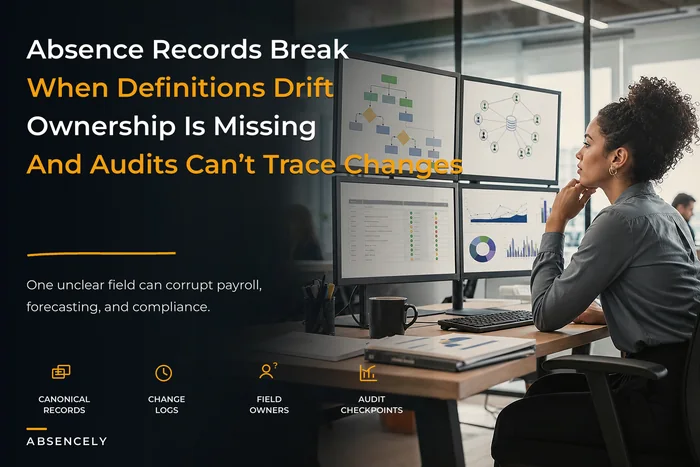
This is upstream of almost everything else. If your definitions wobble, your SLAs can't be measured, your automation fires on bad inputs, and your audit trail documents the wrong numbers. Teams that have done the hard work to fix absence data governance before it breaks forecasting are usually the ones whose dashboards leaders actually trust.
Automation guardrails
Every auto-approval rule and every alert threshold is a control that can rot. The guardrail layer answers: what is automation allowed to do without a human, and what forces it to stop?
A useful guardrail set defines the ceiling (auto-approve predictable leave up to X days), the circuit-breaker (stop and escalate if volume spikes beyond Y), and the rollback (how to reverse a batch of bad auto-decisions). The mistake most teams make: set these at launch and never revisit them, so a threshold tuned for 1,200 employees is still running at 3,000.
Human-in-loop checkpoints
A checkpoint only counts as a control if the human is actually checking something specific. "Manager approval" where the manager clicks yes without reading anything is not a control—it's latency dressed up as oversight.
Define, for each checkpoint, the one or two things the reviewer must verify. For a return-to-work approval, maybe it's: clearance document present, accommodation noted, start date confirmed. If you can't name what the human adds, either make the checkpoint meaningful or automate it away.
Audit artifacts
These are the things you'll need when someone external asks for proof. The control isn't "keep records"—it's "generate the right records automatically so assembling them takes minutes, not weeks." Case files, decision logs, retention timestamps, access records. If producing an audit package still requires someone to go hunting through folders, the control is immature.
Operational SLAs
Finally, the time dimension. Every handoff—manager to HR, HR to payroll, HR to TPA—needs a clock and an escalation trigger. SLAs are where silent failures hide, because a stalled case doesn't announce itself. It just sits there until someone complains.
The one-page executive dashboard
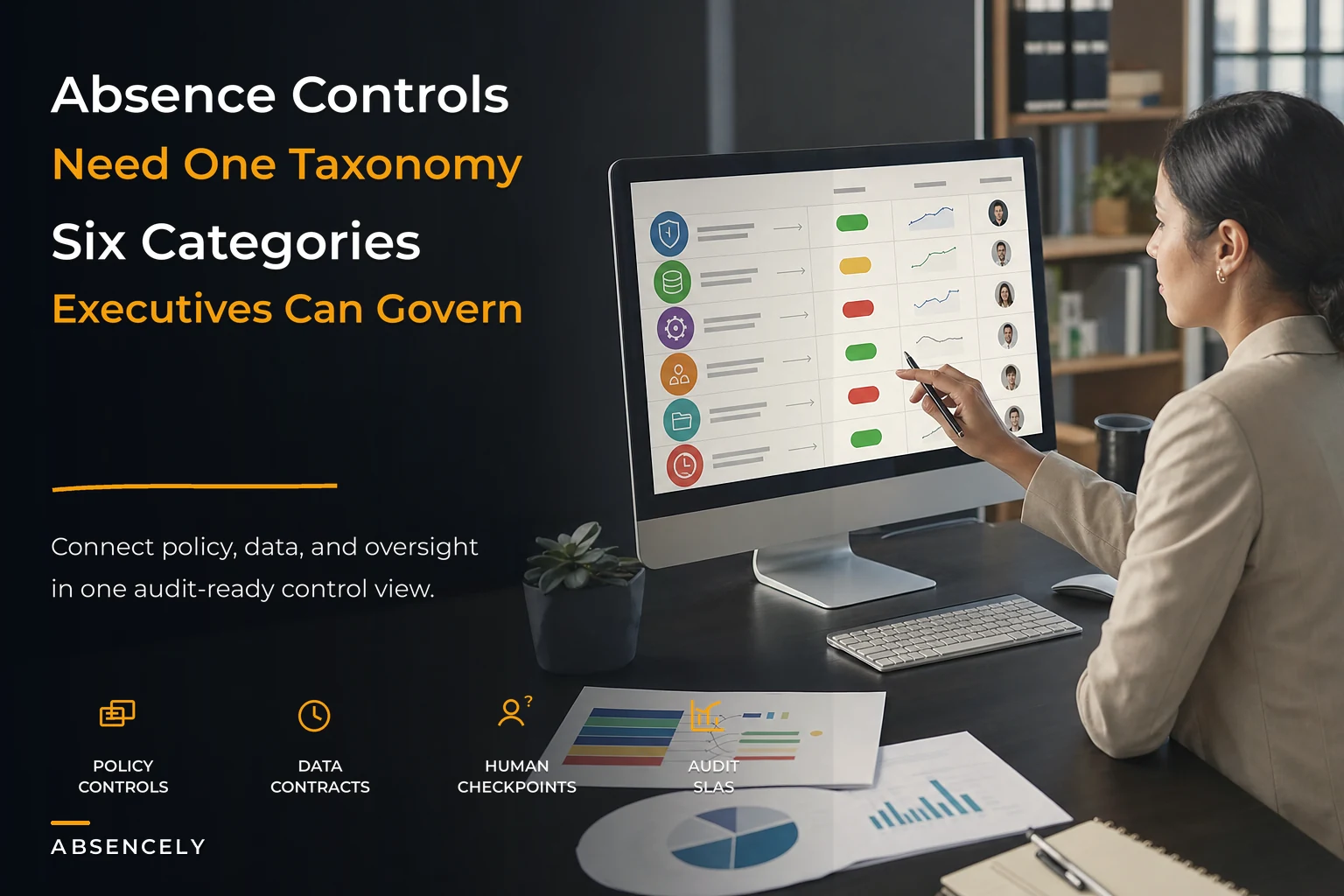
This is the part leaders actually use. The taxonomy is the backend; the dashboard is the interface. The goal is simple: one page, six rows, three states. A leader should be able to glance at it and know whether absence operations are under control.
-
Status — green (working), amber (degrading), red (broken), with a plain-text reason.
-
Trend — is this better or worse than last period?
-
Owner — the single name accountable, so escalation is instant.
No fifteen-KPI grid. The discipline of forcing each category into one status line is what makes the page usable at the executive level. Everything else—the underlying metrics, the drill-downs—lives a layer below for the people who operate the controls.
One thing that matters a lot here: each color has to be defined by a rule, not a feeling. Amber for policy controls might mean "config and handbook have drifted on at least one rule." Red for SLAs might mean "more than 5% of cases breached their handoff deadline this month." If status is subjective, the dashboard becomes decoration.
Here’s a compact visual of how the taxonomy feeds the dashboard and the simple workflow leaders rely on.
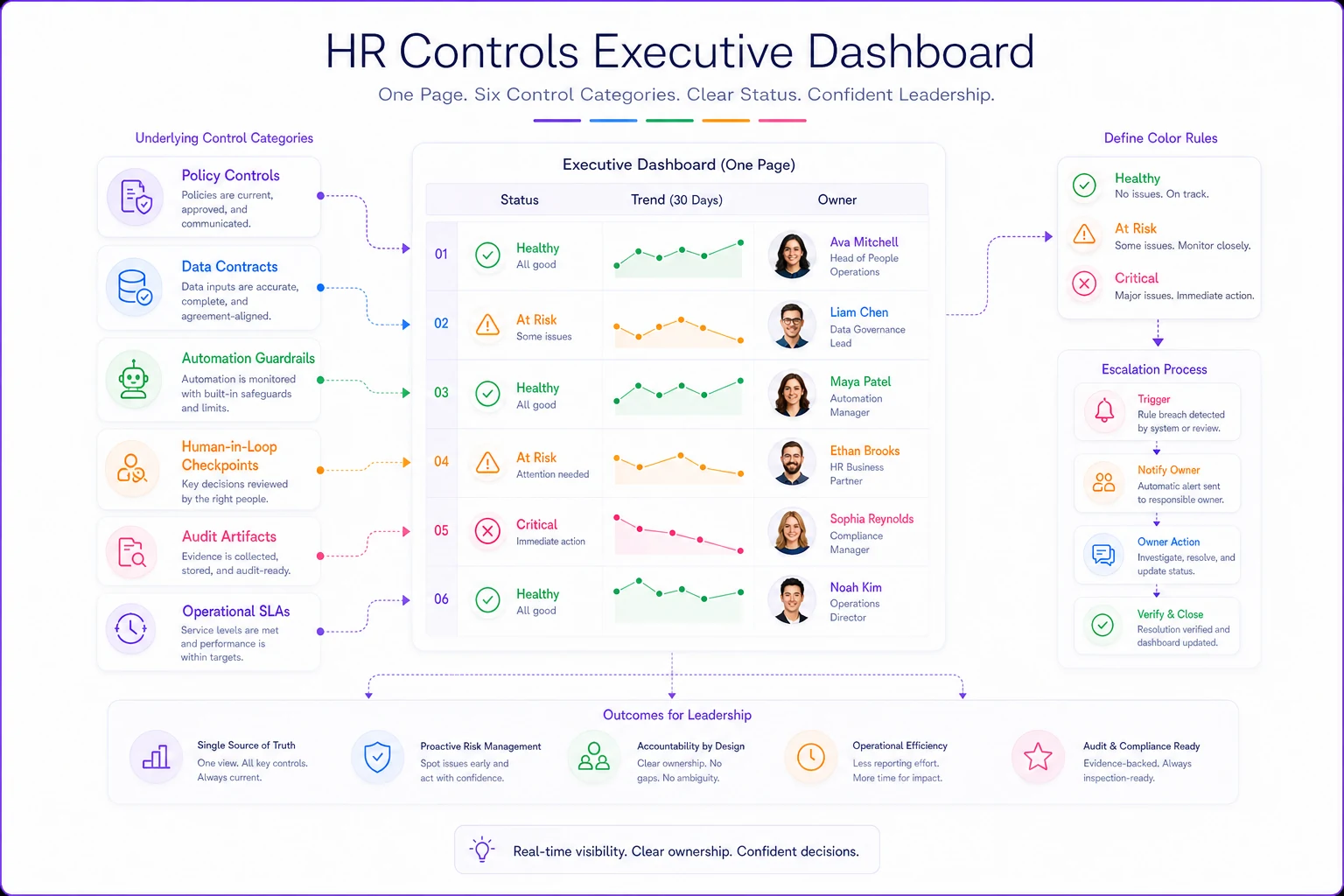
Each color should be tied to an objective rule so the dashboard reflects automated control health rather than opinion.
A realistic walkthrough: how the controls connect in practice
A regional healthcare employer—roughly 2,600 staff across several states, running leave through an HRIS plus an external TPA for disability—is a good example of what this looks like in practice.
Before the taxonomy, their absence oversight was a monthly 14-page report nobody read past page two. When a state audit request landed, it took the team about three weeks to assemble the case files—and two of those files had conflicting absence-day counts because clinical and admin staff were tracked under different definitions.
They rebuilt around the six categories. The data-contract work surfaced the definition conflict immediately and settled a single source of truth. The automation-guardrail review found that their auto-approval threshold hadn't been touched since a 1,500-headcount era and was quietly approving leave patterns that should have triggered review. The audit-artifact control got wired so case packages generate on demand.
The outcome wasn't dramatic in a press-release way. Audit assembly dropped from around three weeks to under two days. The monthly report shrank to a single page the exec team actually reads. The number of absence questions that couldn't be answered in the room fell sharply—which, for a leadership team, was the real win. They went from "we think we're in control" to "we can show we're in control."
Where the predictive and automated pieces fit
If your operation leans on predictive absence alerts or risk scoring, those tools don't live outside the taxonomy—they slot into automation guardrails and human-in-loop checkpoints. A predictive model that flags burnout risk or surge likelihood is only as trustworthy as the guardrails around what it's allowed to trigger and the checkpoints where a human validates its calls.
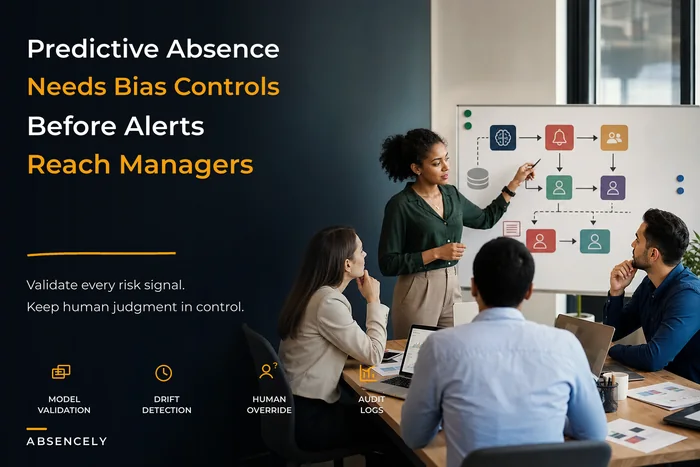
This is where the control layer and modern tooling meet naturally. The best operational platforms don't just run the automation—they make each control inspectable: when did this rule last change, who approved it, what did it decide, and can we roll it back? That inspectability is what turns a black-box model into a governed control. If predictive alerts are part of your stack, the discipline in governance for predictive absence models with validation and bias controls is what keeps those alerts inside the guardrail layer rather than running unchecked.
The point isn't to add software for its own sake. A control taxonomy becomes real only when each control emits its own status automatically. Controls you have to manually check are controls that drift.
When a formal taxonomy makes sense—and when it doesn't
This is not for everyone. Building and maintaining a control taxonomy is overhead, and overhead only pays off at a certain scale and risk level.
When it makes sense:
-
You operate across multiple jurisdictions with conflicting leave rules.
-
You've hit the point where no single person knows every open case.
-
You face real audit or litigation exposure on leave decisions.
-
Your absence numbers don't reconcile between HR, finance, and payroll.
When it's premature:
-
Under a few hundred employees in a single jurisdiction, informal oversight is still faster than formal controls.
-
If your core data definitions aren't settled yet, fix those first—a taxonomy built on wobbly data just documents the wobble.
Who should not do this: teams that will build the taxonomy as a one-time compliance exercise and never maintain it. A stale control set is worse than none, because it creates false confidence. If you can't assign a living owner to each of the six categories, you're not ready.
Getting started without boiling the ocean
You don't roll this out all at once. The sequence that actually works:
-
Inventory your existing controls and force each one into one of the six categories. You'll find duplicates and orphans immediately—that's the point.
-
Assign one owner per category. Not a committee. One name.
-
Define the color rules for each category so status is objective, not a vibe.
-
Wire the audit-artifact and data-contract controls first—they're the ones that cause the most pain when broken and reduce the most risk when fixed.
-
Build the one-page dashboard last, once the controls underneath it actually produce honest status.
Start by wiring the data-contract and audit-artifact controls so the status feeds can be trusted before you build the dashboard.
Most teams try to build the dashboard first because it's the visible deliverable. That's backwards. The page is only as trustworthy as the controls feeding it.
The real shift this creates
A control taxonomy changes the question leaders ask. Instead of "what's our absence rate?"—a number that invites endless debate—they start asking "which controls are degrading, and who owns the fix?" That's a far more useful question, because it's answerable and points directly at action.
It does something for the people running the operation, too. It replaces the vague anxiety of "are we missing something?" with a bounded, inspectable list. Six categories. Clear owners. Honest status. When the board asks whether absence is under control, the answer stops being a defensive two-week scramble and becomes a single page you can hand across the table.
That defensibility—being able to show control rather than assert it—is the whole point. Not more data. A tighter, better-governed set of the controls that actually matter.
Ready to optimize your workforce absence management?
Join 2,000+ HR teams using Absencely to reduce administrative burden, improve compliance, and boost employee satisfaction.