

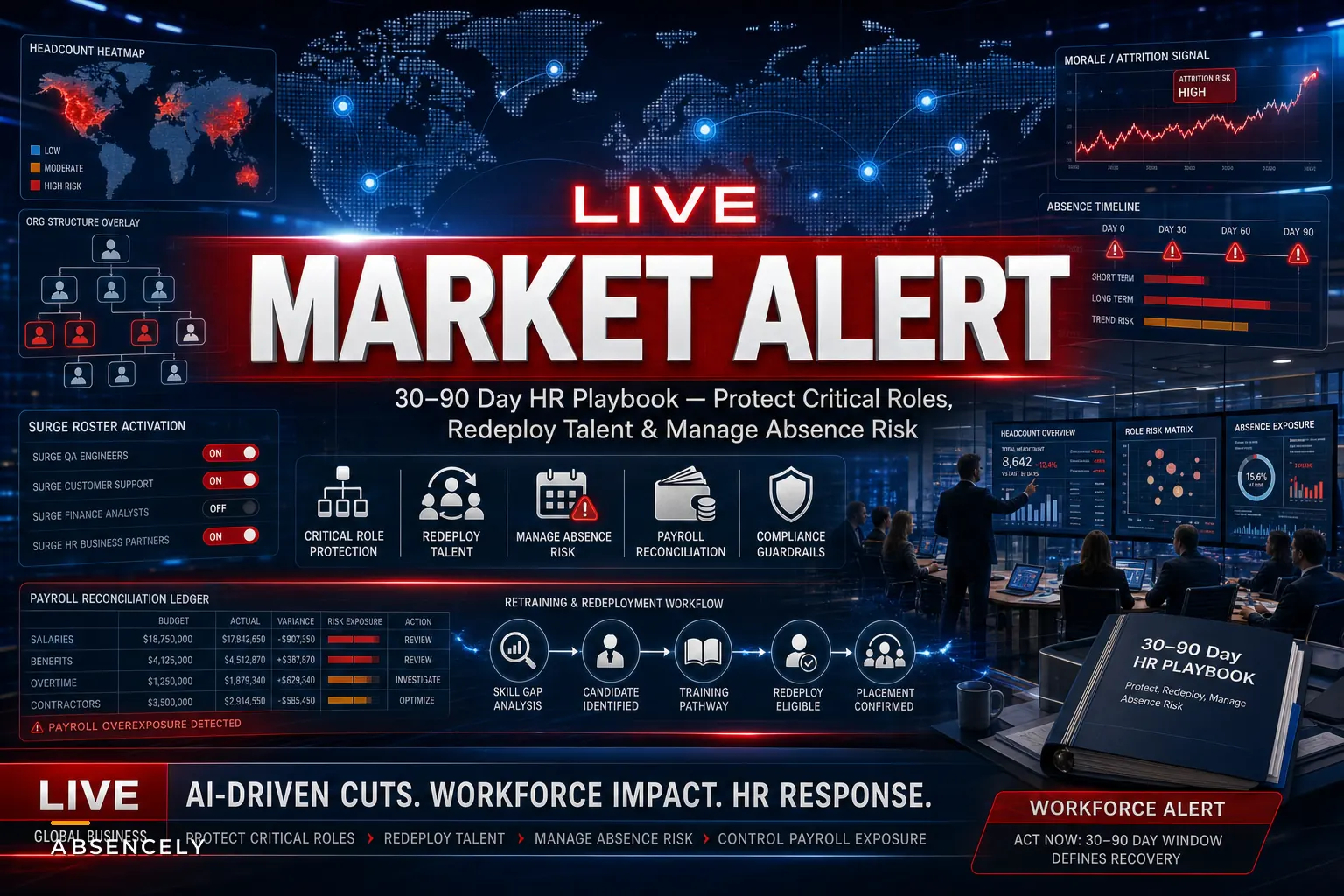

The wave of cuts tied to AI investment isn't slowing down. A late-October Reuters factbox tracking companies cutting jobs as investments shift toward AI ran through a long list of major U.S. and multinational employers reallocating payroll dollars into automation projects — hiring freezes in some divisions, targeted layoffs in others, and quiet redeployments nobody announced publicly.
The announcement is the easy day. The hard part is weeks 2 through 12, when the org chart is wrong, half your institutional knowledge walked out the door, and the people who stayed are watching the exits more carefully than they're watching their work.
That's the window this playbook covers. Not the strategy memo about "AI transformation." The operational mess underneath it.
The problem nobody budgets for: the quiet operational aftershock
Most workforce planning around AI layoffs happens at the wrong altitude. Leadership models the savings — "we remove 40 roles, we save roughly $4.2M fully loaded." Clean spreadsheet. What that spreadsheet doesn't capture is the second-order cost that surfaces 30 to 60 days later.
-
- Absence spikes among survivors. People who kept their jobs start taking the sick days they'd been hoarding. Leave requests climb, often concentrated in the teams that absorbed the most extra work. This isn't malingering — it's genuine stress load plus a sudden willingness to use protected time while they job-hunt.
-
- Coverage gaps in roles you didn't think were critical. The person who processed vendor payments, or held the only working knowledge of a legacy integration, turns out to be load-bearing. You find out when something breaks.
-
- Redeployment that looks good on paper and fails in practice. Moving someone from a cut team into an open seat sounds efficient until you realize the two jobs share almost no overlapping skills.
The underlying issue is that cuts get planned as a subtraction problem when they're really a flow problem. Work doesn't disappear when a role does. It reroutes — usually to whoever is least able to say no.
Days 1–30: Stabilize before you optimize
The instinct after a cut is to immediately redesign everything. Resist that. The first 30 days are about stopping the bleeding and getting visibility, not restructuring.
Stop managing absences manually.
Absencely simplifies leave requests, approvals, and absence monitoring for your entire workforce.
- Automated leave tracking
- Manager approval workflows
- Compliance & reporting tools
No credit card required
1. Map where the work actually went
Within the first week, pull the teams that lost headcount and ask one question per departed role: who is doing that work now, and how many hours is it adding to their week?
Here's a simple visual to follow when mapping roles to remaining owners.
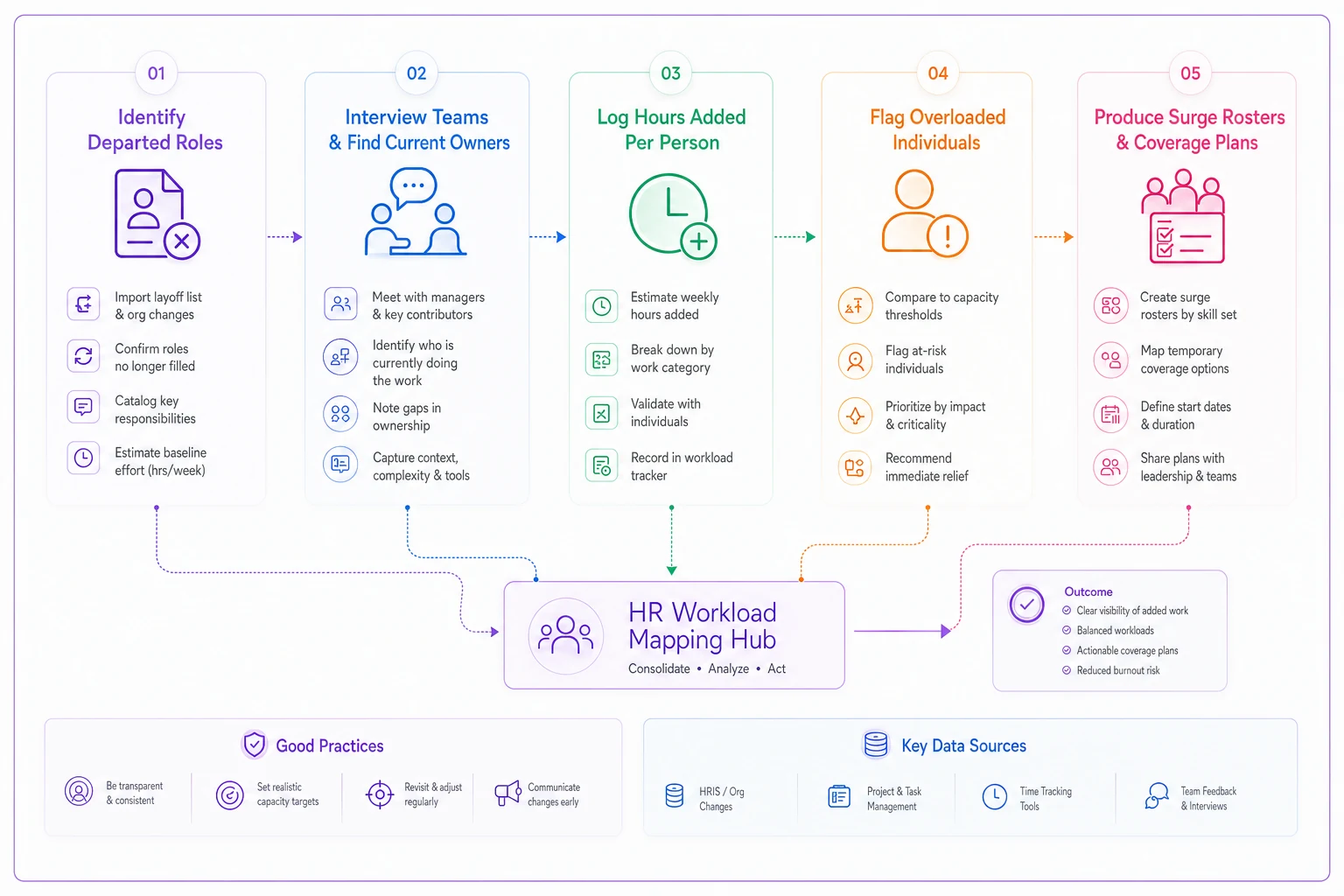
You'll get uncomfortable answers. This usually surfaces three or four people silently absorbing 10–15 extra hours each, which is unsustainable past about a month. A mid-sized logistics operation cut a four-person scheduling team down to one, assuming an automation tool would cover the rest. The tool handled the routine 70%. The remaining 30% — exceptions, escalations, the weird edge cases — landed entirely on the surviving coordinator, who was running roughly 55 hours a week by day 20 and out on stress leave by day 40.
2. Re-rank role criticality — because the ranking changed
The role criticality tiers you had before the cuts are now stale. Removing surrounding roles changes which remaining roles are single points of failure. A position that was "important" when it had three backups becomes mission-critical when it has zero.
This is where a structured approach pays off. If you've already built out a risk-tier blueprint linking role criticality to surge rosters and hiring triggers, now's the moment to rerun it against the post-cut org — not the pre-cut one. The tiers shift more than people expect.
3. Set up absence monitoring specifically for affected teams
Don't wait for the monthly report. In the first 30 days, watch leave patterns on the cut-adjacent teams weekly. Early warning signs worth flagging:
-
1. Sudden clustering of sick days on Mondays or Fridays — a classic disengagement signal
-
2. Rising intermittent leave requests
-
3. Senior staff burning down PTO balances faster than normal
These are the leading indicators of the attrition wave that tends to follow cuts by 60–90 days.
Days 30–60: Redeploy with honesty about skills gaps
By now the dust has settled enough to make real moves instead of reactive ones. This is the redeployment phase, and it's where most AI layoffs workforce planning quietly goes wrong.
The redeployment honesty test
Before you move anyone into a vacated seat, run them against three questions:
-
1. Skill overlap — What percentage of the new role can they do today, with zero training? If it's under 50%, you're not redeploying, you're assigning a project they'll struggle through.
-
2. Ramp time — How many weeks until they're at full productivity? Budget for it honestly. "A couple weeks" is almost always three times longer than that.
-
3. Willingness — Do they actually want the move, or are they accepting it because the alternative is being next on the list?
Here's a comparison that helps frame the options:
| Option | Speed to coverage | Cost | Risk | Best when |
|---|---|---|---|---|
| Internal redeployment | Slow (3–8 wks ramp) | Low direct cost | Medium (skill gaps, burnout) | Skill overlap is high and the person wants it |
| Contingent / temp activation | Fast (days) | High hourly | Low-medium (onboarding drag) | Coverage gap is urgent and role is definable |
| Backfill hire | Slowest (6–12 wks) | Medium-high | Medium (wrong hire risk) | Role is clearly permanent and critical |
| Automate the remaining task | Varies | Upfront + maintenance | High if under-scoped | The work is genuinely repetitive and rule-based |
The trap in the current climate is assuming "automate it" is always on the table because the whole budget shift was about AI. It isn't. The tasks that survive after automation are usually the exception-heavy, judgment-heavy ones — precisely the ones that don't automate cleanly.
When redeployment is a bad idea
Redeployment stops making sense when:
-
- You're stacking a second full-time job onto someone already covering a gap
-
- The skill overlap is cosmetic ("both roles use spreadsheets" is not overlap)
-
- You're using it to avoid the harder conversation about whether the role should exist at all
In those cases, a short contingent bridge while you decide is cheaper than a burned-out employee taking six weeks of leave.
Days 60–90: Rebuild the forecast and lock in coverage
The final stretch is about making the new org structure sustainable instead of held together with overtime and goodwill.
Rebuild your absence and staffing forecast on the new baseline
Your pre-cut absence rates are no longer predictive. Teams carrying heavier loads go absent more. Forecasts built on last year's numbers will understate your coverage needs for the next two quarters. Reforecast using the post-cut absence trend you've been watching since day 15 — not the historical average.
A practical reforecast checklist for this window:
-
[ ] Recalculate expected absence rate per team using the last 60 days, weighted toward the most recent 30
-
[ ] Flag any team where absence rose more than roughly 30% post-cut as a retention risk zone
-
[ ] Confirm surge rosters and on-call backups exist for every role now sitting in your top criticality tier
-
[ ] Set explicit hiring triggers — "if coverage on team X drops below Y, we activate temp or backfill automatically" — so nobody has to re-litigate the decision mid-crisis
-
[ ] Document the single points of failure you discovered in week one and assign a cross-training owner to each
After running through that checklist, do a quick gut-check with your team leads. The numbers will tell most of the story, but the people closest to the work usually spot gaps the spreadsheet misses.
Cross-train before the next person leaves
The cuts exposed your knowledge concentration. Fix it now, while things are relatively calm, not during the next departure. Pick your top three single-points-of-failure and get a second person shadowing each within this window. It's unglamorous work and nobody thanks you for it — until the day it saves you.
A real scenario: regional retail back-office
A regional retail chain's finance back-office went from 11 to 7 after leadership redirected budget toward an automated invoice-processing rollout. The automation worked for standard invoices. It did not handle disputes, vendor exceptions, or the month-end close.
By week five, the remaining team was carrying the overflow manually. Two of the seven filed for intermittent leave within the same two-week span. Month-end close, normally done in about 4 days, stretched to 9. The savings from four removed roles got partially eaten by overtime, a temp brought in at premium rate, and a delayed close that annoyed the auditors.
What turned it around wasn't hiring everyone back. It was a few focused decisions made in sequence:
-
1. Re-tiering the close-process roles as critical and cross-training one person from procurement onto it
-
2. Activating a contingent specialist for 90 days to absorb the exception backlog
-
3. Reforecasting absence for the team at roughly double the prior rate — which turned out to be accurate
By month three, close was back to around 5 days, the leave situation had stabilized, and the automation was actually delivering on the routine volume it was built for. The net savings ended up real — just about 30% smaller than the original projection, and arriving a quarter later than promised.
Where tooling actually helps (and where it doesn't)
Teams that get through this cleanly tend to share one thing: they can see the absence and coverage picture in near-real-time, instead of finding out from a monthly report. When you're managing redeployment and watching for the post-cut attrition wave at the same time, a workflow platform that centralizes leave requests, flags absence clustering, and ties coverage gaps back to role criticality takes a meaningful amount of manual tracking off HR's plate. AI-assisted absence monitoring is genuinely useful here — not to make the decisions, but to surface the signals early enough that a human can act before a key person burns out.
What it won't do is tell you whether a role should exist, or which person deserves the redeployment opportunity. Those stay human judgments. The value is in giving your team the visibility and time to make those calls well.
Bottom line for the next 90 days
Cuts tied to AI investment are a reallocation, not a deletion — the work survives and reroutes somewhere. The organizations that stabilize fastest treat the first 90 days as an operational problem with a clear sequence: stabilize and map in month one, redeploy honestly in month two, rebuild the forecast and coverage in month three.
Do that, and the quiet aftershock — the absence spikes, the hidden single points of failure, the survivor attrition — becomes something you manage on your terms instead of something that manages you.
Do that, and the quiet aftershock — the absence spikes, the hidden single points of failure, the survivor attrition — becomes something you manage on your terms instead of something that manages you.
Ready to optimize your workforce absence management?
Join 2,000+ HR teams using Absencely to reduce administrative burden, improve compliance, and boost employee satisfaction.